Customizing your phone is one of the best parts of using HyperOS, and the Black HyperOS Theme is a great option if you prefer a clean, modern, and clutter-free interface. Instead of flashy colors or heavy visual effects, Black focuses on subtle design improvements that make the system feel fresh while staying smooth and reliable for daily use.
Features of Black HyperOS Theme
Features of Black HyperOS Theme
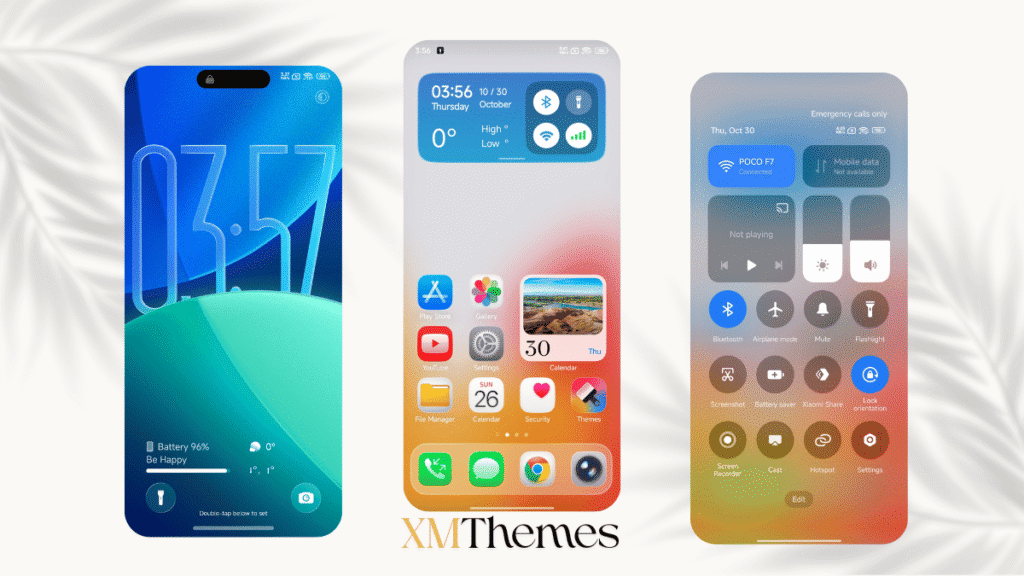
What makes the Black HyperOS Theme stand out is how balanced it feels after applying it. The lock screen looks clean and well-organized, icons appear more consistent across apps, and the overall UI feels calmer and easier on the eyes. Nothing feels overdone, which is exactly what many Xiaomi, Redmi, and POCO users look for.
During normal usage, the theme does not affect performance or battery life. Animations remain smooth, app switching feels quick, and the system remains responsive even on mid-range devices. This makes Black suitable not just for short-term testing but for long-term daily use.
Black HyperOS Theme Details
| Theme Name | Black |
| Designer | Masoud.B |
| Supported OS | HyperOS 3 & 2 |
| Compatible Devices | Xiaomi, Redmi, POCO |
| Get Access Via | Official Theme Store |
Black Theme Preview
The Black theme improves several areas of the system without changing the core HyperOS identity. The status bar icons look cleaner, system menus feel better aligned, and the control center blends nicely with the overall color tone of the theme. App icons are redesigned in a way that keeps them familiar while adding a premium touch.
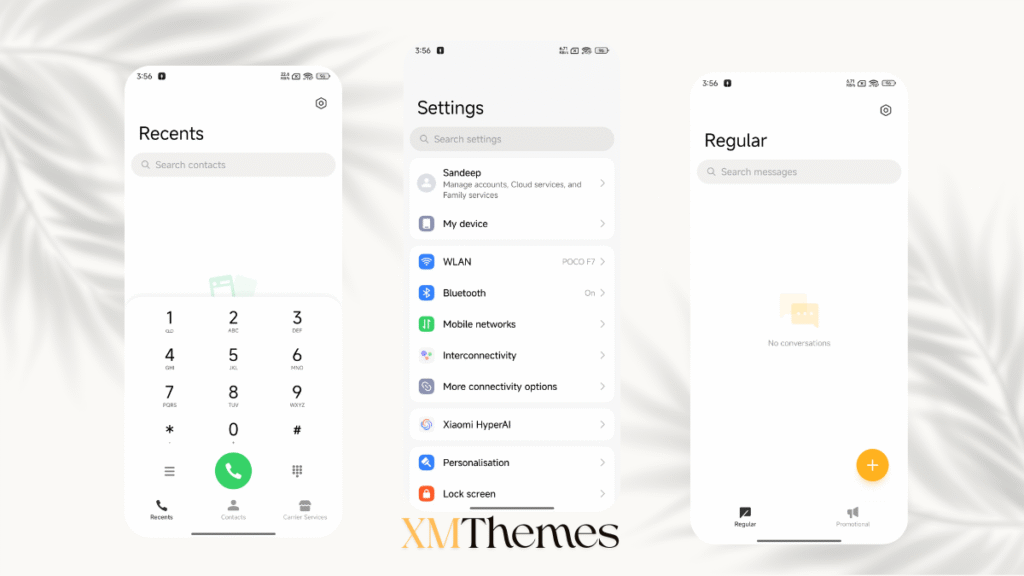
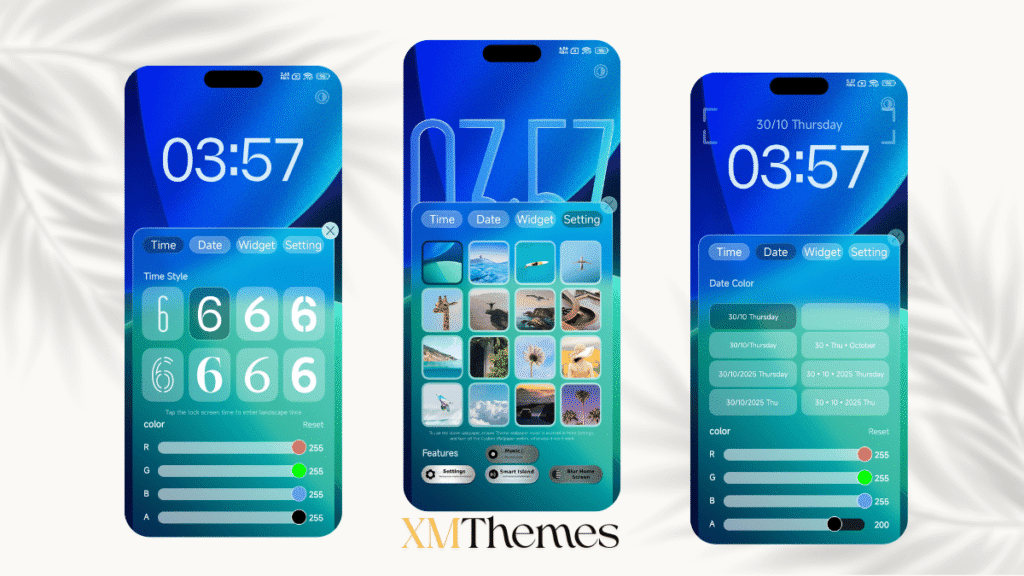
Another strong point of Black is consistency. Whether you are browsing settings, checking notifications, or unlocking your phone, the visual style remains uniform. This consistency makes the interface feel polished and thoughtfully crafted rather than randomly customized.
How to Apply Black HyperOS Theme Safely
Applying the Black HyperOS Theme is quick and completely safe since it is available through the official Theme Store.
- Open the Themes app on your Xiaomi, Redmi, or POCO device
- Visit the official theme link provided above
- Download the Black theme
- Tap Apply from the Themes app
- Restart your phone if required
Summary
If you are searching for a HyperOS theme that looks premium, stays smooth, and does not compromise usability, Black is definitely worth trying. It enhances the overall look of your device while keeping the experience simple and reliable.
For more hand-picked HyperOS themes designed specifically for Xiaomi, Redmi, and POCO devices, keep exploring XMThemes.com.